Encrypt Decrypt Dashboard
verified_user 100% Client-Side Privacy

Free Client-Side File Encryption
Zero Server Uploads

Protect your files with AES-256-GCM encryption entirely in your browser. No installations. No premium tiers. Your data never leaves your device.

AES-256 Military Grade
Local Browser Engine
Zero Data Uploaded
enhanced_encryption

Encrypt File

Select a file, set a strong password, and encrypt it instantly

cloud_upload

Drop your file here

or click to browse

PDFs, Images, ZIPs, Docs, Videos • Unlimited size • Processed locally
lock_open

Decrypt File

Open .enc files instantly offline in your browser

enhanced_encryption

Drop your .enc file here

or click to browse

Only .enc files • No data leaves this device
integration_instructions

Embed This Client-Side Tool on Your Website

Give your audience free, zero-knowledge encryption directly on your blog, wiki, or app.

Free Encryption Widget

Because UniDoc runs entirely client-side, it is 100% safe to embed. Copy the HTML code below to place this tool on your own website. Your users' files will stay local to their browsers and will never be sent to any server.

Click the code box to copy.

shield

The Safest Zero-Knowledge Encryption Software

Ditching server uploads for complete client-side security

UniDoc Encrypt is a browser-based utility that secures your sensitive files without transmitting them to external servers. Operating entirely on your local device, this tool leverages AES-256-GCM encryption—a robust cryptographic standard recognized globally for securing highly sensitive information.

Unlike traditional cloud services or subscription-based software that require you to upload data or install heavy desktop clients, our zero-knowledge architecture processes everything in-memory using the Web Crypto API. Your unencrypted data, passwords, and cryptographic keys never leave your computer. This ensures complete privacy and aligns with strict OWASP security recommendations.

Whether you are protecting financial records, personal documents, or confidential business archives, this client-side approach guarantees your data stays strictly under your control. It provides the same level of security utilized by modern financial institutions, completely free and without requiring an account.
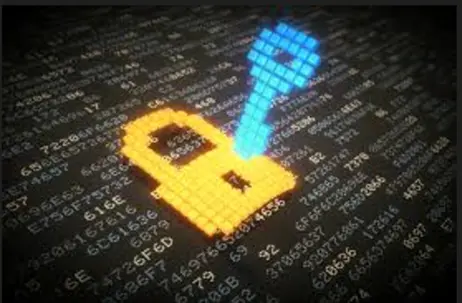
enhanced_encryption Start Encrypting Now
Interface of the UniDoc local browser-based file encryption tool

How It Works

Three simple steps to protect your files

1

Select Your File

Choose any file of any size. Documents, images, videos — anything you want to protect.

2

Set a Password

Use a strong password (12+ characters) or let us auto-generate a cryptographically secure one for you.

3

Download Encrypted

Get your .enc encrypted file. Decrypt it anytime on this site or in the UniDoc app with your password. Secure your files online for free today.

account_tree

Encryption Process Explained

A visual breakdown of how your data stays secure from start to finish

1
password

Password + Salt

Your password is combined with a unique 128-bit salt. This prevents attackers from using pre-computed rainbow tables against your file.

2
sync_lock

PBKDF2 Key Derivation

The salt and password are hashed through 150,000+ iterations of PBKDF2-SHA256, producing a hardened 256-bit encryption key.

3
enhanced_encryption

AES-256-GCM

Your file is encrypted with AES-256 in Galois/Counter Mode, a reliable AES encryption standard. An authentication tag guarantees the data hasn't been altered.

4
file_copy

.enc Package

The salt, iteration count, IV, ciphertext, and auth tag are packaged into a single .enc file ready for secure storage or sharing.

security

Security Features

Enterprise-grade encryption, available to everyone

enhanced_encryption

AES-256-GCM

Military-grade authenticated encryption. The same standard used by governments and financial institutions worldwide.

key

PBKDF2-SHA256

150,000+ iterations of key derivation. Makes brute-force attacks computationally infeasible even with powerful hardware.

devices

100% Client-Side

Everything happens in your browser. No file is ever uploaded to any server. Zero-knowledge architecture.

verified_user

Integrity Verification

GCM authentication tag and SHA-256 hash ensure your files haven't been tampered with during storage or transit.

vpn_key

Secure Key Sharing

Generate one-time key shares with expiration. Share keys separately from encrypted files for maximum security.

phone_android

App Compatible

Files encrypted here use the exact same .enc format as the UniDoc app. Encrypt on web, decrypt on mobile — and vice versa.

policy

Our Privacy Promise

Your data belongs to you, and only you

visibility_off

No Data Collection

We do not log, store, or transmit your files or passwords. Everything is processed locally within your browser using JavaScript and the Web Crypto API.

cloud_off

Zero Server Uploads

Your files never touch our servers. There is no cloud processing, no backup, and no hidden data transfer. What happens in your browser stays in your browser.

no_accounts

No Account Required

We don't ask for your email, phone number, or any personal information. Use the tool instantly without creating an account or accepting tracking cookies.

lock_person

Zero-Knowledge Architecture

We architected this tool so that even if our infrastructure were compromised, there is nothing to steal—because we never possess your unencrypted data or keys.

place

Secure Use Cases for File Encryption

Protection designed for every scenario

business

Corporate Environment

Secure financial reports, legal contracts, and confidential memos before sharing them internally or with external partners.

school

Education & Research

Protect student records, research data, and unpublished academic work from unauthorized access or data breaches.

local_hospital

Healthcare & Legal

Encrypt patient records, case files, and sensitive client documents to comply with privacy regulations like HIPAA and GDPR.

cloud_upload

Cloud Storage Safety

Encrypt files before uploading them to Google Drive, Dropbox, or OneDrive. Even if the cloud is breached, your data remains unreadable.

email

Email Attachments

Send encrypted files via email with confidence. Even if intercepted, the contents are completely protected without the password.

personal_video

Personal Archives

Protect family photos, personal documents, password backups, and digital wills on your local drives or USB sticks.

help_center

Frequently Asked Questions

Everything about zero-upload encryption

UniDoc Encrypt uses the Web Crypto API built into modern browsers. When you drop a file, our client-side JavaScript reads it locally, derives a 256-bit key from your password using PBKDF2-SHA256 with 150,000+ iterations, and encrypts the data using AES-256-GCM. The output is a .enc file containing the salt, IV, ciphertext, and authentication tag. All of this happens inside your browser—no data ever leaves your device.

While tools like VeraCrypt provide excellent full-disk encryption, they require system installation and technical expertise. AxCrypt and Cryptomator are powerful for cloud syncing, but they often require dedicated app downloads or premium subscriptions to unlock full features. UniDoc gives you the same AES-256 military-grade protection but is entirely browser-based, instantly accessible, 100% free, and requires absolutely zero installations.

Yes, you can securely encrypt PDFs, Word documents, images, and ZIP archives. Because processing happens locally in your browser, your files remain completely private and are never uploaded to a cloud server.

There are no artificial file size limits imposed by UniDoc. However, because the encryption happens entirely within your browser's memory, the maximum file size you can process successfully depends on your device's available RAM and browser limits.

Absolutely not. We have zero server-side processing for your files. Everything happens locally using your browser's built-in cryptographic engine. We cannot see your files, your passwords, or your encrypted output. There is no database, no cloud storage, and no logging of your activity.

Unfortunately, if you lose your password, your file is permanently unrecoverable. We do not store passwords, maintain backdoors, or offer any recovery mechanism. This is the trade-off of true zero-knowledge encryption: only you hold the key. We strongly recommend storing your password in a reputable password manager or writing it down in a secure physical location.

Asymmetric encryption uses a public-private key pair to secure data. RSA and Elliptic Curve Cryptography (ECC) are common examples. Unlike symmetric methods that use one key, asymmetric systems encrypt with a public key and decrypt with a private key. UniDoc uses AES-256-GCM (symmetric) for file encryption because it is significantly faster for large files, while still providing military-grade security.

Yes. UniDoc is a tool with key derivation built in. Your password acts as the key, and our system uses PBKDF2-SHA256 with over 150,000 iterations to transform it into a hardened 256-bit encryption key. You can also generate and share secure keys with optional expiration for additional control.

Feature UniDoc (Client-Side) Cloud Apps (Server-Side)
Where is it encrypted? Your Local Device (Browser) Company Servers
Can the company view my files? No (Zero Knowledge) Yes (Often they hold the master key)
Risk of Server Hacks? Immune (Data isn't on our servers) Vulnerable to database leaks
Cost 100% Free Usually requires premium subscriptions
Feature AES PGP RSA
Type Symmetric Hybrid (Both) Asymmetric
Key Usage Single shared key Session + public key Public/Private pair
Speed Very Fast Moderate Slow
Best For Securing files & data Email & messaging Key exchange & signatures
Key Size 128, 192, 256 bits Up to 4096 bits 2048 - 4096 bits
Used By UniDoc Yes (AES-256-GCM) No No

When you share files online—whether via email, cloud storage, or messaging apps—they pass through multiple servers and networks. Without encryption, anyone with access to those systems (hackers, service providers, or government agencies) can read your data. Encryption ensures that even if the file is intercepted, stolen, or subpoenaed, it remains completely unreadable without the password. It is the only way to maintain true confidentiality in an interconnected world.

Yes. AES-256 is currently unbreakable by any known practical means. It is approved by the NSA for securing top-secret information and is the global standard for protecting sensitive data. To put it in perspective, a brute-force attack on AES-256 would require more energy than the sun produces in a year, making it mathematically infeasible to crack. Combined with our 150,000+ iteration PBKDF2 key derivation, your data is protected against even the most sophisticated attackers.

Yes, UniDoc Encrypt is completely free to use and exceptionally safe. Because it runs entirely in your browser, there is no installation required, no malware risk, and no hidden costs. We do not collect personal information, display intrusive advertisements, or monetize your data. The tool is designed with transparency and user privacy as its core principles, making it one of the safest encryption solutions available online.

library_books

Sources & References

Authoritative sources that back our security claims and methodology

school Academic & Standards

code Technical & Open Source

newspaper Industry & News

palette Design & Architecture

Encrypt on Web. Decrypt on Mobile.

The same .enc format works everywhere. Encrypt a file here and open it in the UniDoc app — or encrypt on your phone and decrypt here. Complete cross-platform compatibility.

check_circle Copied!